













SkyHills Login: Access Your Account and Payments in 2026
Quick Login at SkyHills: What Most Players Don't Know
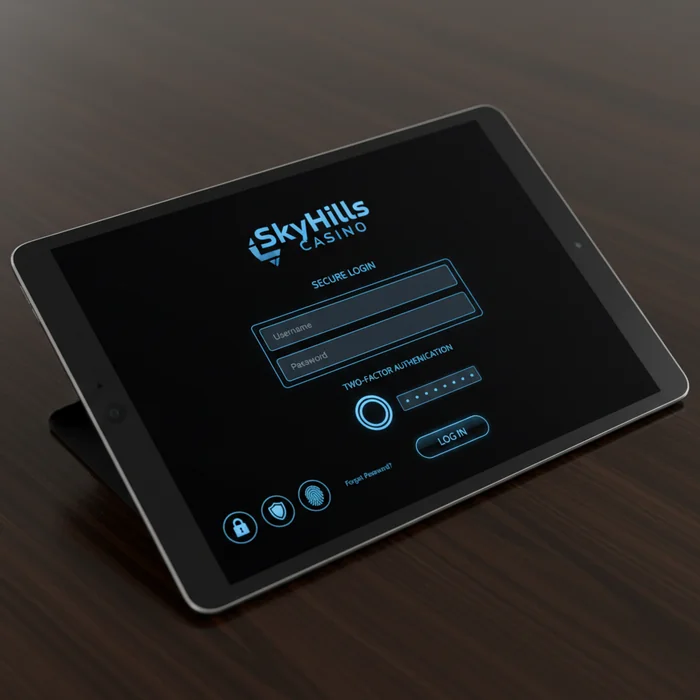
What most people don't realize is that the SkyHills login isn't just the gateway to your favorite games — it's also the central hub from which you manage all your payments, deposits, and withdrawals. Once you're logged into your SkyHills account, you have instant access to a complete financial dashboard where you can see at a glance which payment methods are active, how much is pending, and how quickly your withdrawal is being processed.
We understand that you want to know where your money is and when it will arrive. That's why we've designed the login process to give you access to your balance, transaction history, and active bonuses within seconds. Whether you want to make a deposit via iDEAL, request a withdrawal through an e-wallet, or simply check whether your latest payment has been processed — it all starts with a single click on login.
SkyHills: Step-by-Step Login Guide for 2026
The secret to a smooth gaming experience is a seamless login process. Below, we walk you through every step — including the financial features that become immediately available to you afterward.
Step 1: Go to SkyHills
Open your browser and navigate to casinoskyhills.com. At the top of the page, on the right side of the navigation bar, you'll find the Login button. It's been placed prominently on purpose — we want you to reach your account and payments as quickly as possible.
Make sure you use the official URL. Always verify that you're on casinoskyhills.com before entering any details. Phishing pages sometimes imitate well-known casinos — the real URL is your first line of defense.
Step 2: Enter Your Login Credentials
Enter your registered email address and password in the designated fields. Our system recognizes your account instantly and immediately links your connected payment methods — from Visa and Mastercard to Skrill, Neteller, and crypto wallets.
Using a shared device? Make sure to uncheck Remember me. This keeps your payment details and balance hidden from anyone else using the same device.
Step 3: Two-Factor Authentication
If you've enabled two-factor authentication (2FA) — which we strongly recommend — you'll receive a one-time code after entering your password. This code is sent via SMS or an authenticator app such as Google Authenticator.
This extra step protects not only your account but also your linked payment methods. No one can request a withdrawal or change a payment method without access to your second verification factor. That gives you real peace of mind.
Step 4: Access Your Dashboard
After successful verification, you'll land on your personal dashboard. Here you can see at a glance your current balance, recent deposits, pending withdrawals, and the expected processing times for each payment method.
From the dashboard, you can navigate directly to the cashier to make a deposit or request a withdrawal. Withdrawals via e-wallets such as Skrill and Neteller are typically processed within 24 hours; bank transfers generally take 2 to 5 business days. Crypto withdrawals are often even faster — sometimes within the hour.
Login Methods at SkyHills Casino: Overview
Few players discover that the choice of login method can also affect how quickly you can access your payment options. Below is an overview of all available ways to log in to the platform.
| Login Method | Availability | Security Level |
|---|---|---|
| Email + Password | Always available | Standard — enhance with 2FA |
| Social login (Google) | Available on desktop and mobile | High — dependent on Google security |
| Mobile app | iOS and Android | High — encrypted connection |
| Biometric login | Via the app on supported devices | Very high — fingerprint or Face ID |
| One-tap login | After initial verification on a trusted device | Medium — personal devices only |
We recommend biometric login via the app for players who regularly make deposits and withdrawals. It combines maximum speed with a high level of security — ideal when you want to confirm a transaction quickly.
Mobile Login at SkyHills
The secret of the most active players? They manage their payments on the go via the mobile app. Through the SkyHills app, you can log in with your usual credentials, or opt for biometric verification — a fingerprint or facial recognition takes care of the rest.
Prefer using a mobile browser? No problem. Our website is fully optimized for smartphones and tablets. Navigate to casinoskyhills.com, tap Login, and you'll be inside your account within ten seconds. The cashier function works identically to the desktop version — including all payment methods, limits, and processing times.
Through the app, you can also set up push notifications for payment confirmations. This way, you'll know immediately when your deposit has been processed or your withdrawal is on its way — without having to log in every time to check the status. Download the SkyHills app and set up notifications through your account settings.
Troubleshooting Login Issues
We understand that a login problem at the wrong moment — especially when you want to make a deposit or are expecting a withdrawal — can be particularly frustrating. That's why we've put together the most common issues and their solutions right here.
Forgotten Password
Forgotten your SkyHills password? Don't worry — regaining access is quick and easy. Follow these steps:
- Go to the login page and click Forgot password below the login form.
- Enter the email address linked to your account. You'll receive a recovery email within a few minutes.
- Click the link in the email and choose a new, strong password — at least 10 characters, including numbers and special characters.
- Log in with your new SkyHills password and immediately verify that your payment methods are still correctly configured.
Haven't received the recovery email within five minutes? Check your spam folder. Not there either? Contact our support team via live chat — they're available seven days a week.
Account Locked
An account may be temporarily locked after multiple failed login attempts — this is an automatic security measure to protect your balance and payment details. After five incorrect attempts, access is temporarily frozen.
In that case, wait 30 minutes and try again, or contact our support team directly. They can manually unlock your account after identity verification. Please note that any pending withdrawals during a lockout will not be cancelled — they will simply be processed once your account is active again.
Browser Issues
Having trouble logging in even though your credentials are correct? The cause is often technical. Outdated cookies or a full cache can interfere with the login process. Clear your browser history and cookies, restart the browser, and try again.
We officially support the latest versions of Chrome, Firefox, Safari, and Edge. If you're using an outdated browser version, certain security features — including the encrypted connection to the cashier page — may not function correctly. An update takes just a minute and resolves most issues immediately.
Securing Your SkyHills Account in 2026
Account security and financial safety go hand in hand. A well-secured account means no one else can access your balance, your linked payment methods, or your withdrawal history. We've built in multiple layers of security — but you play a crucial role as well.
Strong Passwords and Two-Factor Authentication
Use a unique password that you don't use anywhere else. A combination of uppercase letters, lowercase letters, numbers, and special characters makes your account significantly harder to crack. Consider using a password manager to keep track of strong passwords without having to memorize them.
Activate 2FA through your account settings. Every time someone — including yourself — attempts to log in, a second verification step is required. This also applies to changes to payment methods and withdrawal requests. An extra layer of protection that takes little effort but delivers a great deal of security.
Logging Out Safely and Phishing Awareness
Always log out after a session on a shared or public device. Your session temporarily contains access to your payment details — never leave it unattended. Use the logout button in the menu; don't simply close the browser window.
Be alert to phishing emails that pose as messages from SkyHills Casino. We will never ask for your password or full payment details via email. If you're unsure about a message, contact our support team before clicking anything.
Payment Limits and Account Management
Did you know that you can set personal payment limits through your account settings? You can configure daily, weekly, or monthly deposit limits — a handy tool for responsible gaming and keeping track of your finances. Changes to these limits only take effect after a 24-hour cooling-off period, ensuring that decisions are always well-considered.
Ready to Play at SkyHills
Logging in is more than a technical action — it's the gateway to a complete financial ecosystem. Deposits via iDEAL, Visa, Mastercard, Skrill, Neteller, and crypto; withdrawals typically processed within 24 hours via e-wallets; transparent limits with no hidden fees. That's what awaits you once you're logged in.
Already a customer? Head straight to the SkyHills login page and manage your account and payments. New to our platform? Register here and discover what SkyHills Online Casino has to offer — from your first deposit to your first withdrawal. Welcome to SkyHills.