













Skyhills Casino Mobile — Official iOS and Android App
SkyHills Mobile Casino: Play Wherever You Want
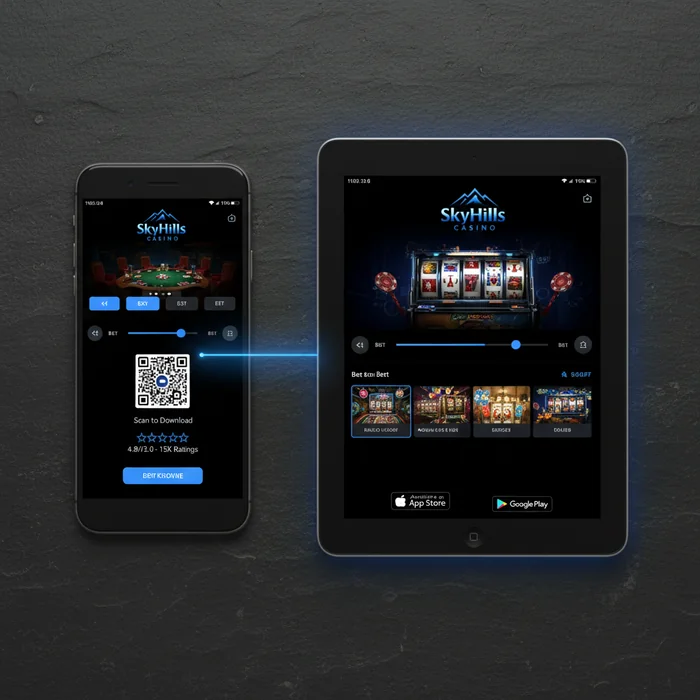
The SkyHills app was built with one goal in mind: to deliver a secure, stable, and fully featured casino experience on any device you have at hand. What most players don't realize is that our mobile environment isn't simply a scaled-down version of the desktop site — it's a standalone optimized platform running the same security infrastructure as our full website, including 256-bit SSL encryption on every connection you make.
Whether you're on the go, relaxing at home on the couch, or taking a quick break, the SkyHills mobile environment gives you access to your account, deposits, bonuses, and the full games portfolio. Registering, logging in, playing, and withdrawing — everything works seamlessly on both iOS and Android, and also directly through your mobile browser with no download required.
Compatibility: Which Devices Are Supported
Few people realize just how broad the technical support for our platform actually is. Below you'll find an overview of all supported environments, including minimum requirements and file sizes.
| Platform | Minimum Version | Download | App Size |
|---|---|---|---|
| iOS (iPhone & iPad) | iOS 13.0 or higher | Via App Store | ~85 MB |
| Android | Android 8.0 or higher | APK directly from the site | ~72 MB |
| Windows (desktop) | Windows 10 or higher | No download required | N/A |
| Mobile Browser | Chrome 90+ / Safari 14+ | No download required | N/A |
| Tablet (iOS & Android) | Same as iOS/Android | Via App Store or APK | ~85–90 MB |
Features of the SkyHills App
Games on Mobile
The hidden secret behind our mobile games library is the selection process: not every game available on desktop automatically makes it into the mobile version. We test each game individually for load time, touch controls, and graphical stability before it goes live on the SkyHills mobile app. The result is a library of over 1,200 mobile-optimized titles, spanning slots, live casino, table games, and scratch cards.
We've partnered with more than 60 software providers — including Pragmatic Play, Evolution Gaming, and NetEnt — to ensure that graphical quality on a 6-inch screen is just as sharp as on a 27-inch monitor. Three titles that are particularly popular among our mobile players: Gates of Olympus, Sweet Bonanza, and Lightning Roulette. Each of these games is optimized for both portrait and landscape mode.
What most players don't know is that our live casino section is fully functional on mobile — including the dealer chat feature and multiple camera angles. Streaming quality automatically adjusts based on your internet connection, so the game is never interrupted by buffering issues.
Mobile Bonuses
Our bonuses page makes no distinction between desktop and mobile players. Every offer available on the desktop version is also fully accessible through the app. This applies to welcome bonuses, daily offers, and loyalty rewards. The SkyHills mobile bonus structure is intentionally designed this way: we believe the device you use should have no bearing on the value you receive as a player.
What you can receive exclusively through the app are push notifications about time-limited offers. When a flash promotion is active — sometimes valid for just a few hours — you'll receive an instant notification on your phone. That way, you'll never miss an offer that might otherwise pass you by unnoticed.
All bonus terms, including wagering requirements and validity periods, are displayed with full transparency in the app. No hidden text, no fine print that you can only read on desktop. Responsible gambling starts with clear information, and that principle applies on every screen size.
Banking on Mobile
Deposits and withdrawals through the SkyHills app are processed via the same secure payment infrastructure as on desktop. Every transaction is encrypted with TLS 1.3 and processed through certified payment providers. Supported methods include iDEAL, Visa, Mastercard, Skrill, Neteller, and Paysafecard — all available directly from the mobile cashier section.
Deposits are typically processed within seconds. Withdrawals are handled after verification of your identity — our KYC process, which you complete just once — within the timelines that apply per method. We communicate those timelines transparently in the app, so you always know when to expect your funds.
What few people realize: setting deposit limits and reality check timers is also fully available through the mobile app. Under the 'Responsible Gambling' section in your account settings, you'll find tools for daily, weekly, and monthly limits, a self-exclusion option, and a direct link to support organizations. Safety doesn't stop at protecting your data — it also includes protecting your gambling behavior.
How to Download the SkyHills App
iOS Download
- Open the App Store on your iPhone or iPad and search for "SkyHills Casino".
- Tap on the official SkyHills app and verify that the publisher matches our official company name.
- Tap Download and wait for the installation to complete — this typically takes less than a minute on a stable connection.
- Open the app and log in via your existing account or register as a new player.
Android Download
- On your Android device, go to our mobile page and tap the Download APK button.
- Go to your device settings, navigate to Security, and enable Install from Unknown Sources — this is required because the app is not offered through the Play Store.
- Open the downloaded APK file from your notification bar or file manager and tap Install.
- Launch the app after installation and log in or create a new account using the SkyHills sign up option on the welcome screen.
Don't want to download anything? No problem. Our full mobile casino environment is accessible through any modern mobile browser — Chrome, Safari, or Firefox. Simply visit casinoskyhills.com on your phone and start playing instantly, with no installation and no storage space used. The browser version runs on the same secure infrastructure as the app.
Mobile vs Desktop: What Are the Differences
| Feature | Mobile App | Desktop |
|---|---|---|
| Game Selection | 1,200+ optimized titles | Full portfolio (1,400+) |
| Graphical Quality | Optimized for touchscreen | Maximum resolution on large screen |
| Load Speed | Fast on stable 4G/5G or Wi-Fi | Consistently fast via wired connection |
| Push Notifications | Yes, including promotional alerts | Not available |
| Bonuses | Fully accessible | Fully accessible |
| Payment Methods | iDEAL, Visa, Skrill, Neteller, and more | Same methods available |
| Live Chat | Available via app and browser | Available, larger chat window |
For players on the go or looking to jump into a quick session, the mobile app has everything you need — including the full suite of security features and responsible gambling tools. The desktop version offers a slightly larger games portfolio and a more comfortable layout for longer sessions, but the difference in functionality is minimal. Choose based on your situation, not based on limitations.
Performance and Technical Details
Speed, Data Usage, and Optimization
The SkyHills mobile app is optimized to use as little data as possible without compromising game quality. Slots consume less data per hour on average than a standard YouTube video at medium quality. Live casino games use slightly more due to the video stream, but our adaptive streaming layer automatically adjusts the bitrate based on your connection strength.
Load times for individual games are typically under three seconds on a stable 4G connection. The app itself launches quickly, even on older devices that meet the minimum system requirements. Offline features are limited — casino games naturally require an active connection — but your account settings, transaction history, and responsible gambling settings can still be viewed if your connection temporarily drops.
For battery optimization, we recommend setting screen brightness to automatic and closing background apps during a live casino session. Push notifications can be managed by category in the app settings, so you only receive the alerts that are relevant to you.
Our recommendation: For the most stable and fastest mobile experience, play over a Wi-Fi connection or 5G network. The app performs excellently on 4G, but for live casino games with multiple camera angles, a stronger connection delivers noticeably better results. Also make sure to enable push notifications — that way you'll always be among the first to know about time-limited offers.
Start Playing on Mobile at SkyHills Today
What you now know — and what most players only discover after downloading the app — is that the mobile environment of Casino SkyHills wasn't built as an afterthought. It's a fully featured, secure, and certified platform that delivers the same quality and safety on every device. From 256-bit SSL encryption to RNG-certified games, from transparent bonus terms to built-in responsible gambling tools: everything is there, right on your phone.
Download the app via the App Store or our APK link, or play directly through your mobile browser — the choice is yours. Not a player yet? Register via our sign-up page and discover for yourself why SkyHills Online Casino is a platform that delivers on its promises, on every screen and at any time.